Lekkafy mobile app
Choose your budget cycle
A budget cycle is the date range Lekkafy uses to group spending and track budget progress. Match it to your payday or the calendar month to see what’s left and how long it needs to last.
Step by step
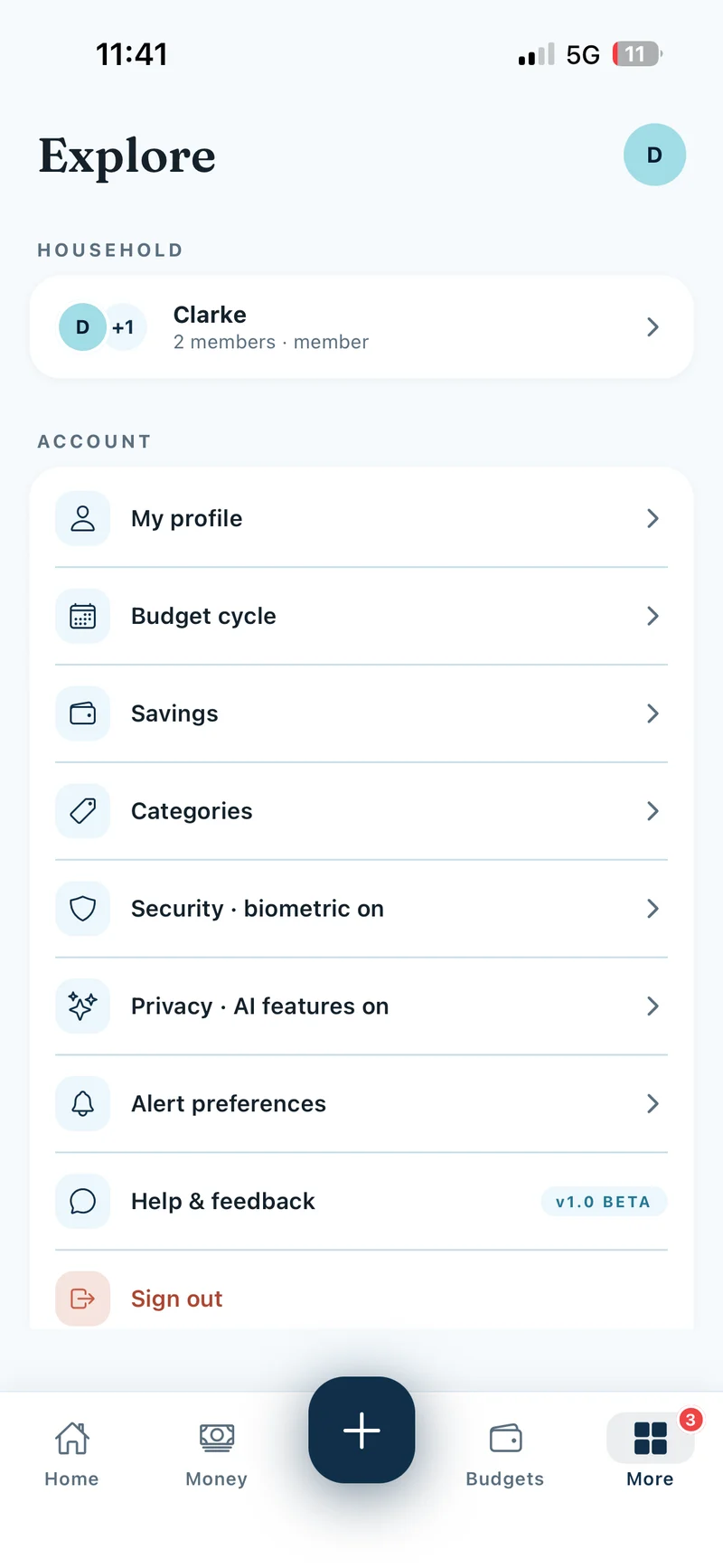
Open Budget Cycle
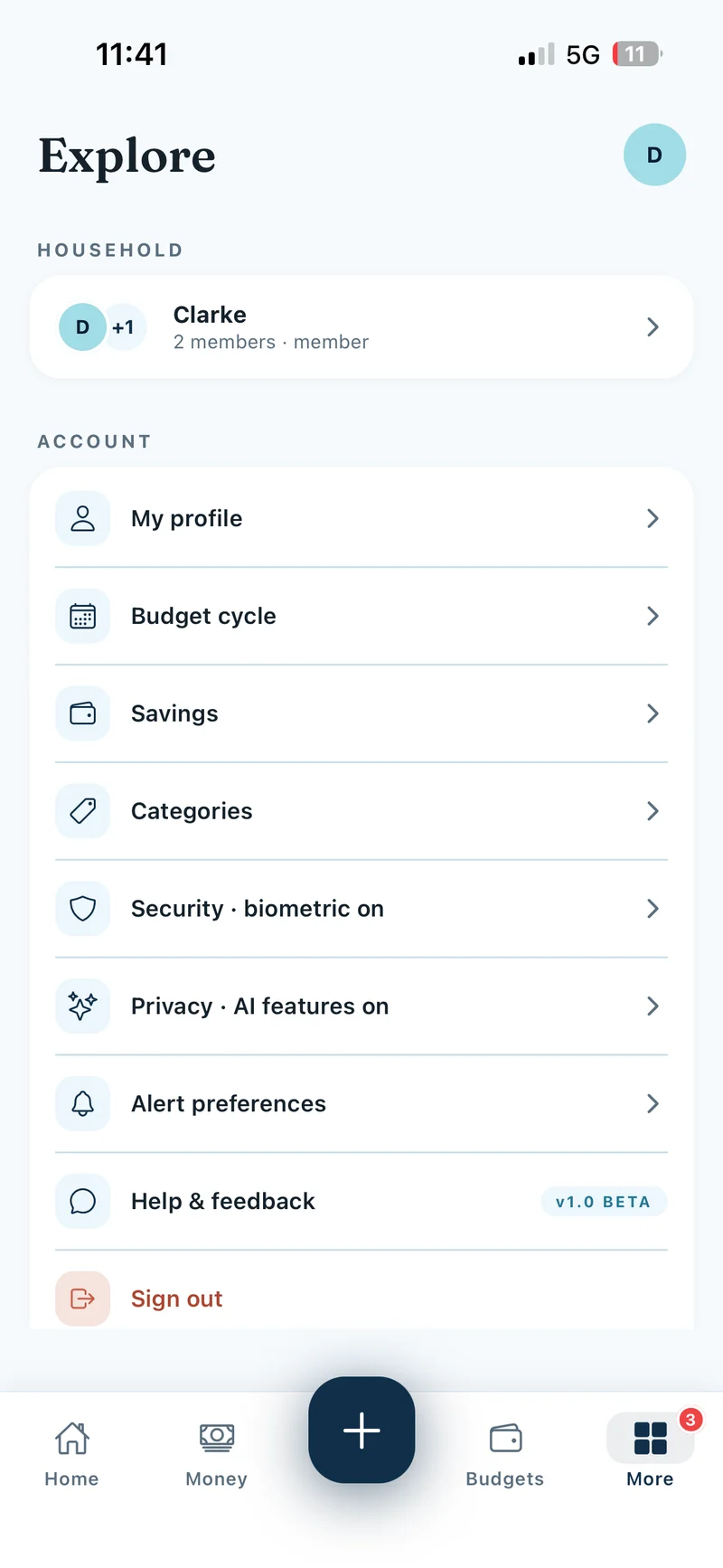
In the mobile app, tap More, then Budget cycle under Account. If you’re in a household, everyone uses the same cycle and only the family admin can change it.
Show screenshot
Calendar month
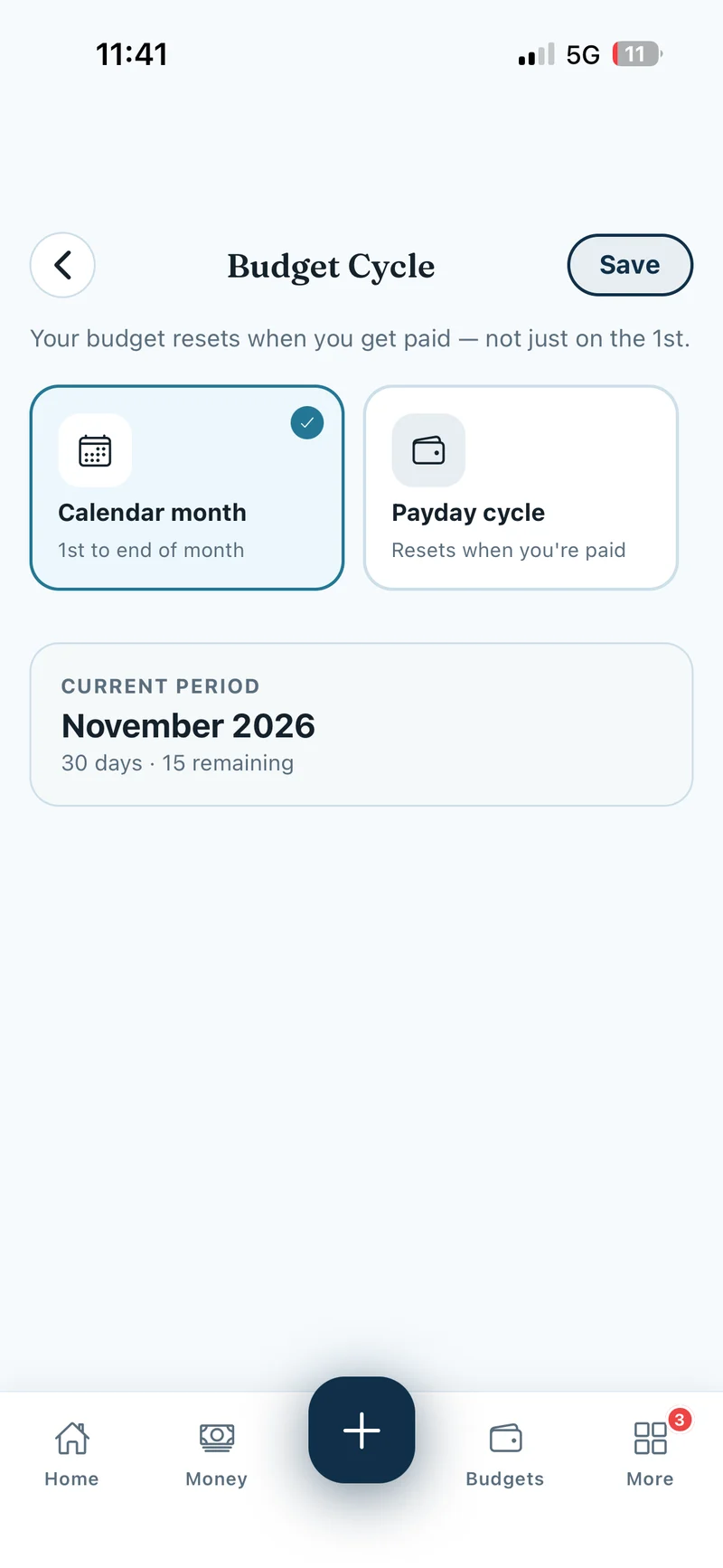
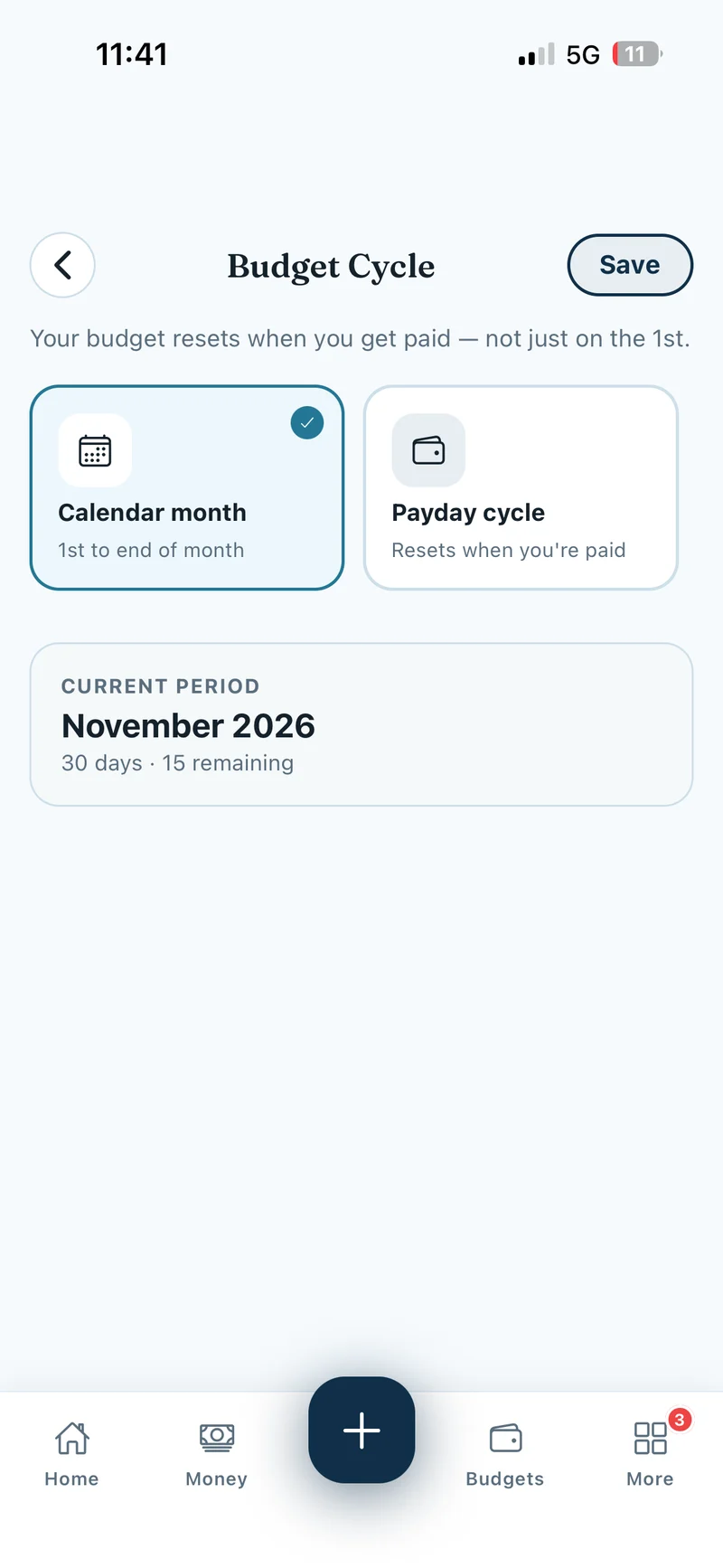
Choose Calendar month to budget from the 1st to the last day of each month. This is the default and works well if you review your spending at month-end.
Show screenshot
Monthly payday on a fixed day
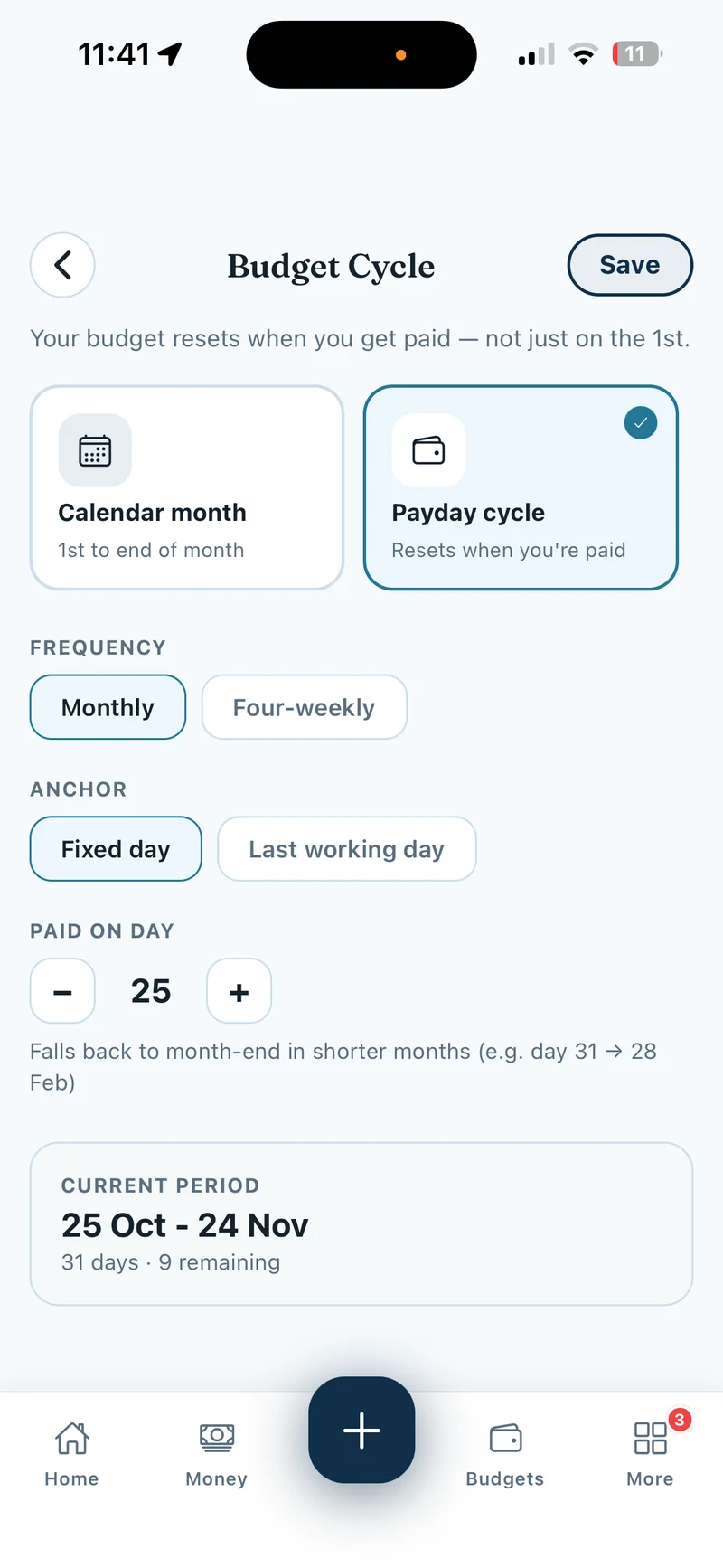
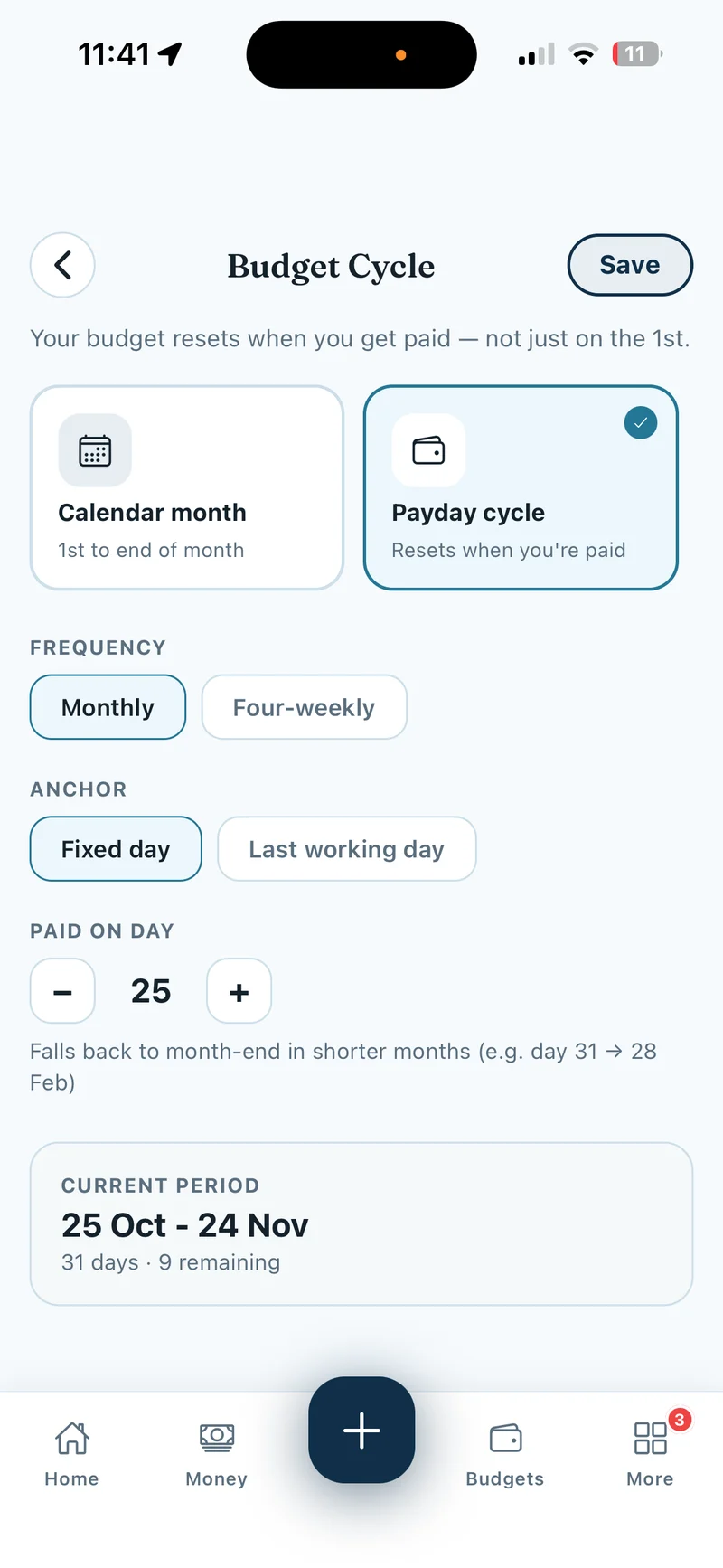
Choose Payday cycle → Monthly → Fixed day. Under Paid on day, use the minus and plus buttons to pick your payday. If you choose the 25th, each period runs from the 25th to the 24th of the next month. In shorter months, a date that doesn’t exist, such as 31 February, falls back to the last calendar day.
Show screenshot
Monthly payday on the last working day
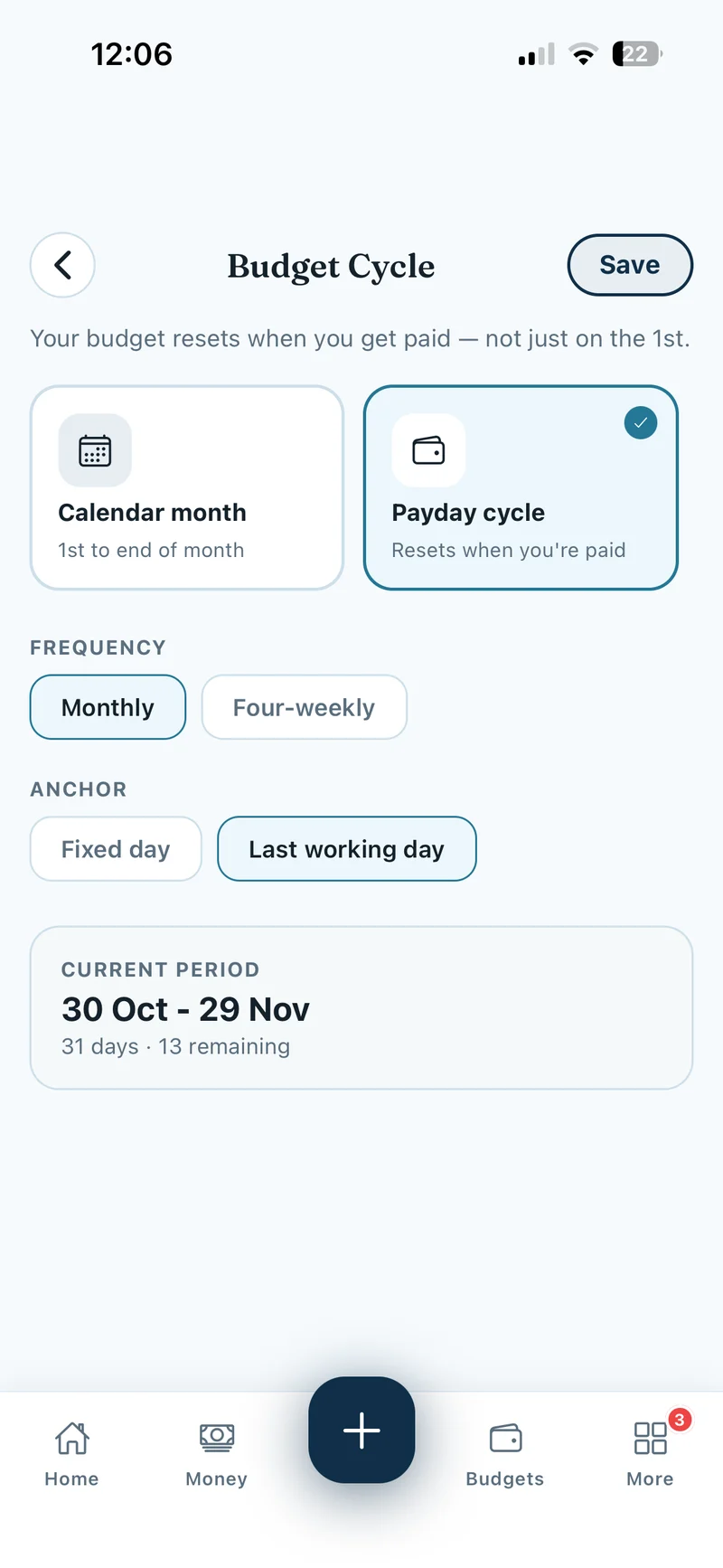
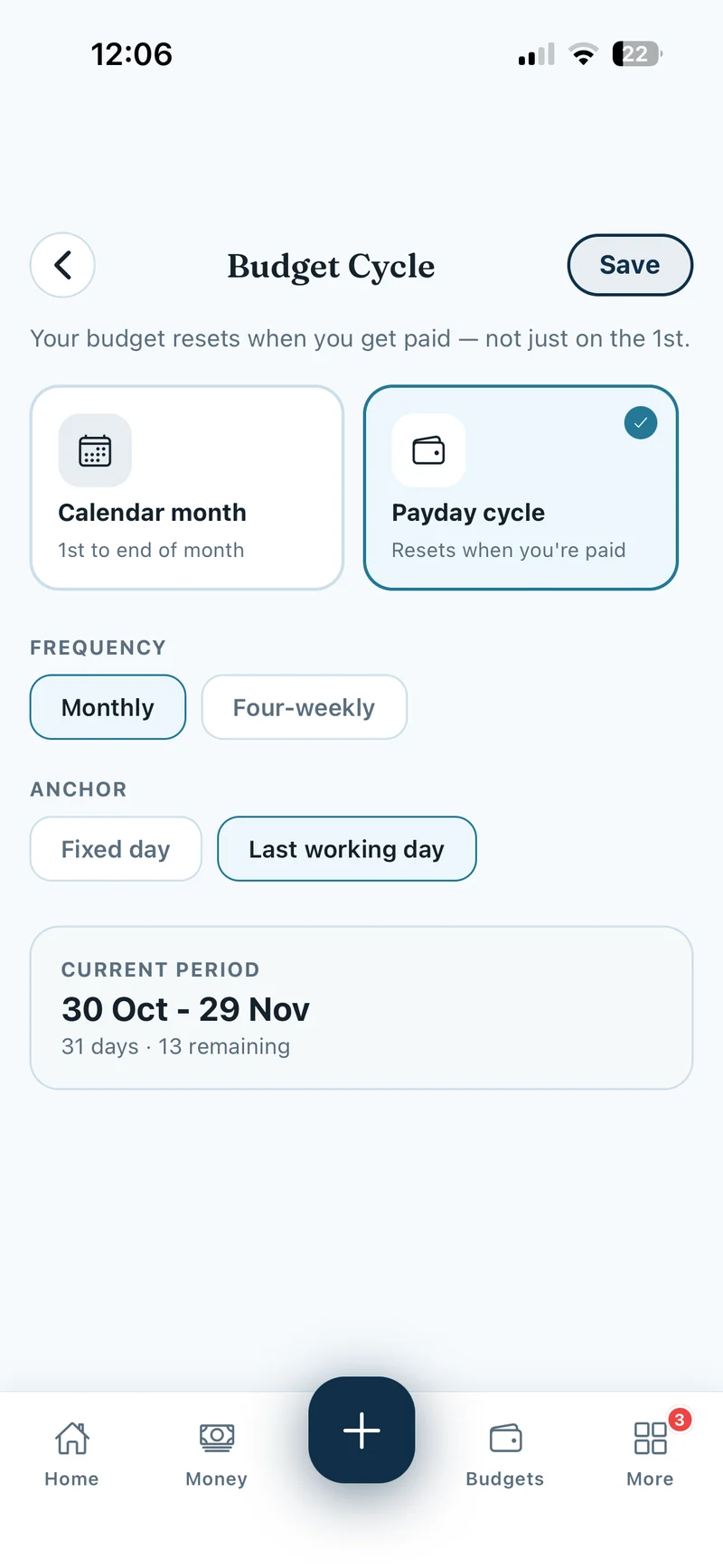
Choose Payday cycle → Monthly → Last working day if you’re paid on the last working day of each month. The app skips weekends and England and Wales bank holidays. Your budget period ends the day before the next payday.
Show screenshot
Payday every four weeks
Choose Payday cycle → Four-weekly if you’re paid every 28 days. Under Last payday, use the minus and plus buttons to set the day, month and year of your most recent payday. Lekkafy uses that date to work out each 28-day budget period.
Check the dates and save
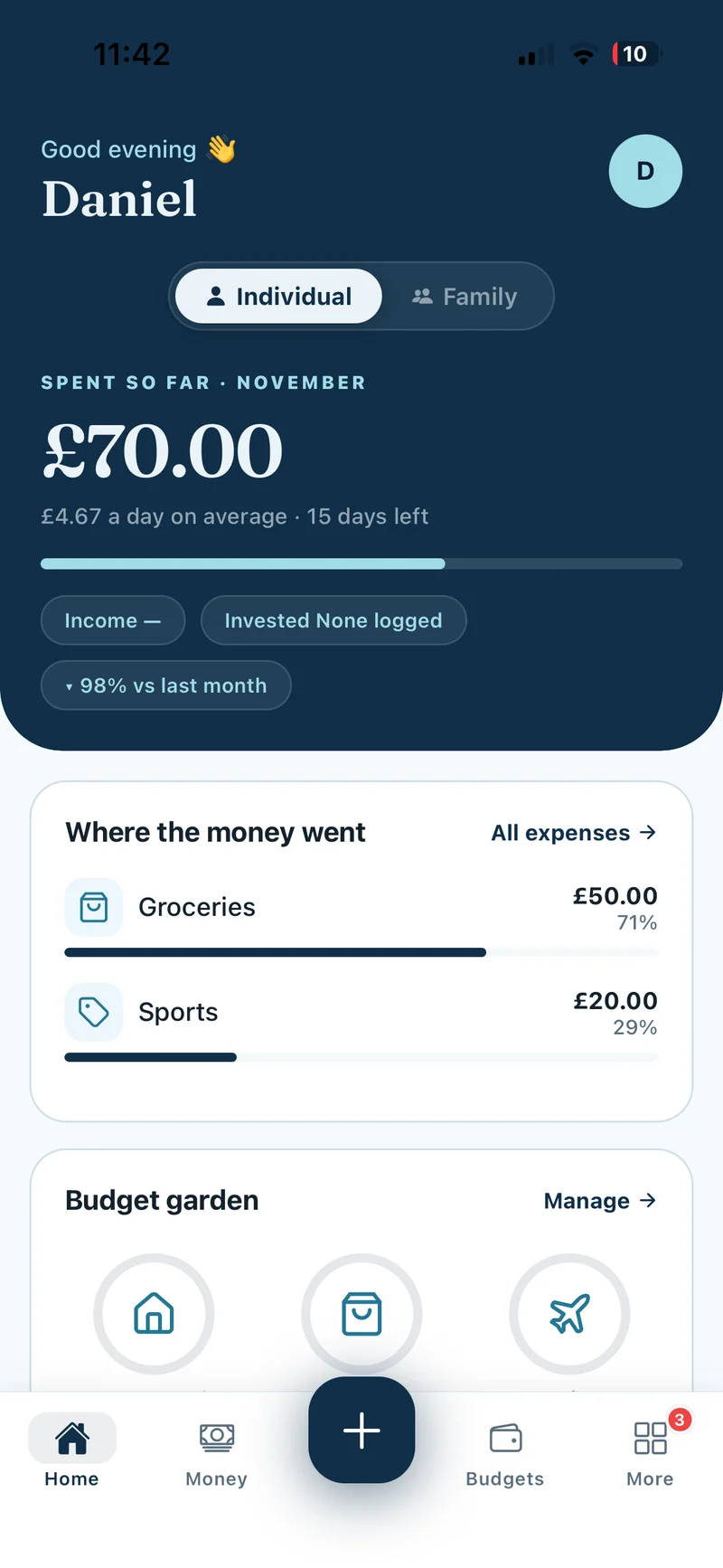
Check Current period for the date range and days remaining, then tap Save. If you see Change cycle mid-period?, tap Confirm to apply it now. On Home, check the current period and days left in Spent so far.
Show screenshot
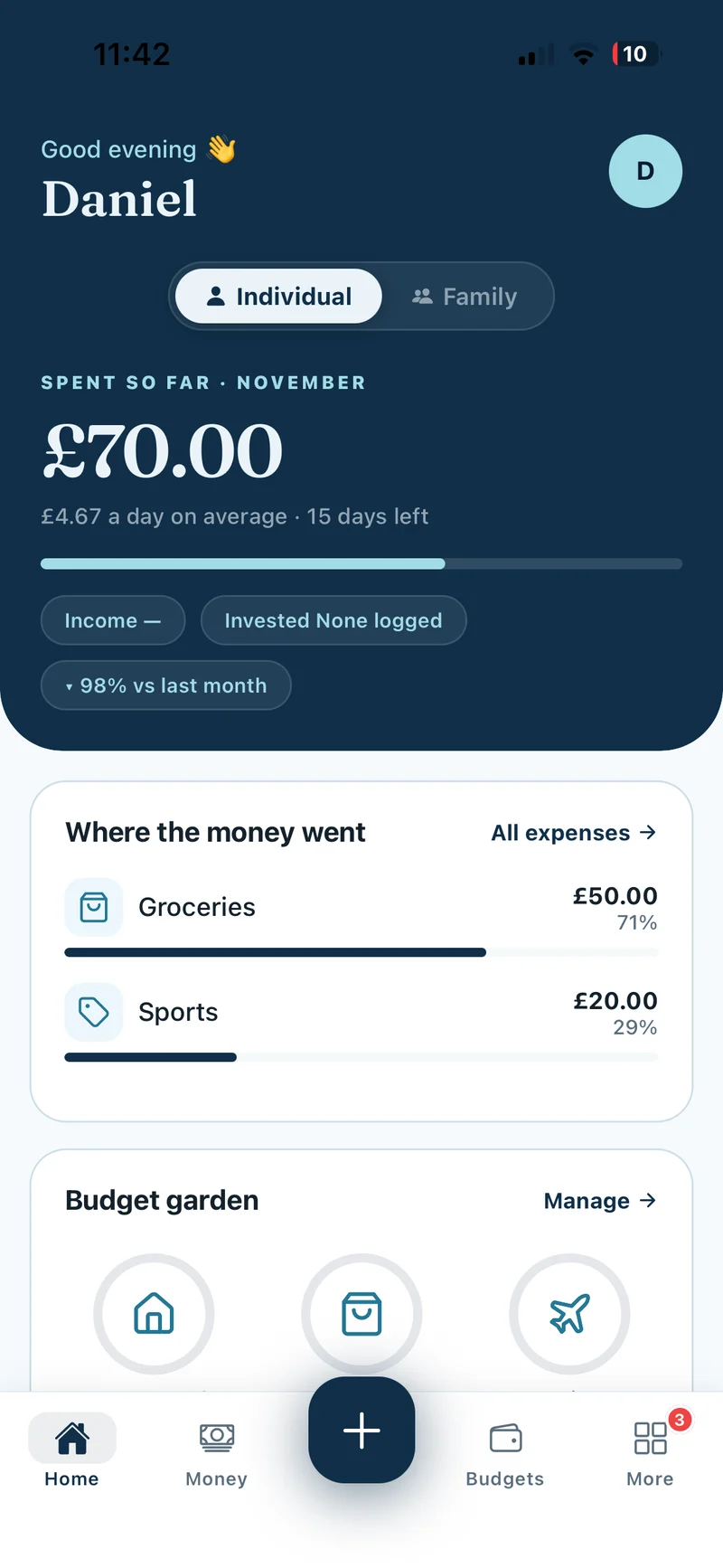
Changing the cycle can change which transactions appear in your current totals. Each transaction keeps its original date and amount.