Lekkafy mobile app
Track bills, subscriptions and renewals
See which costs keep coming back, plan for larger annual bills and get a reminder before a contract renews.
Step by step
Open Commitments
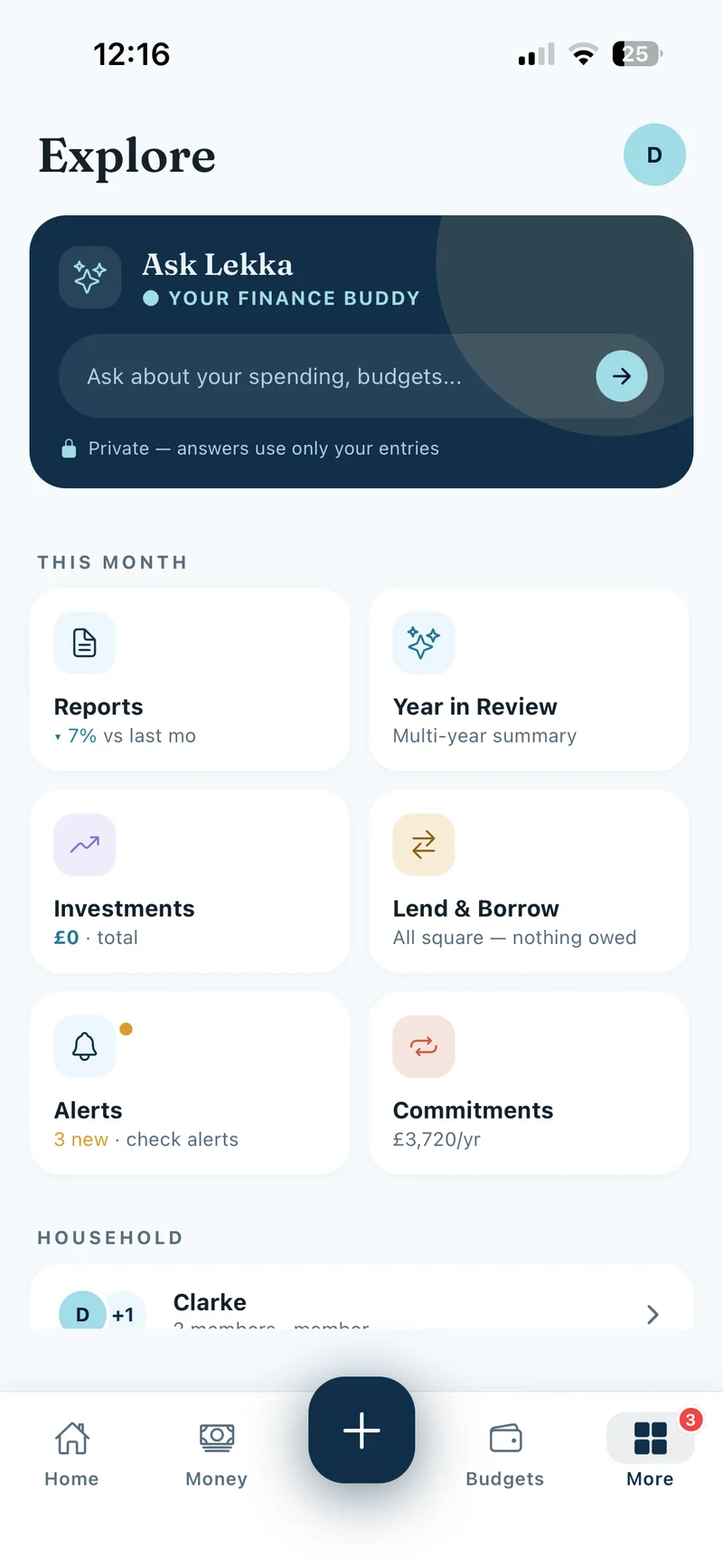
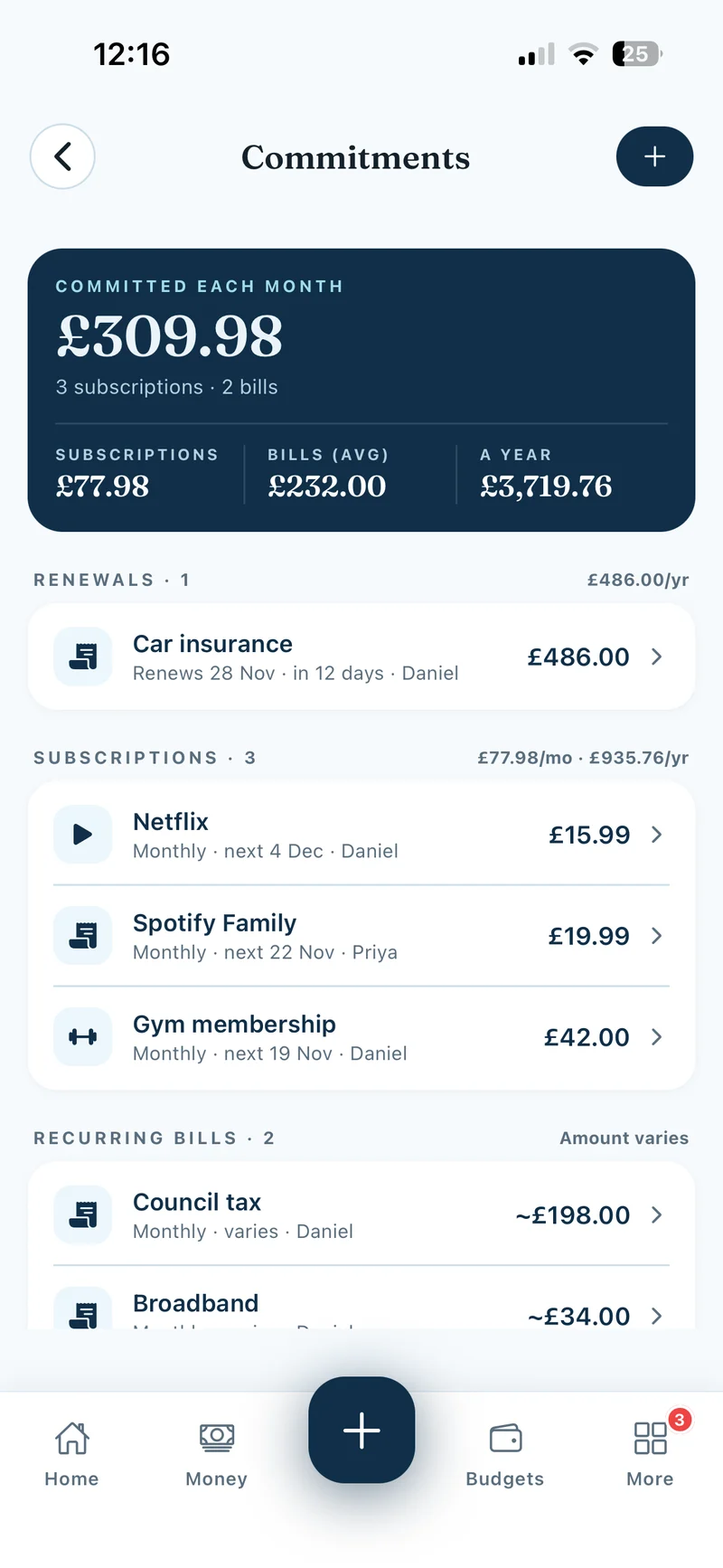
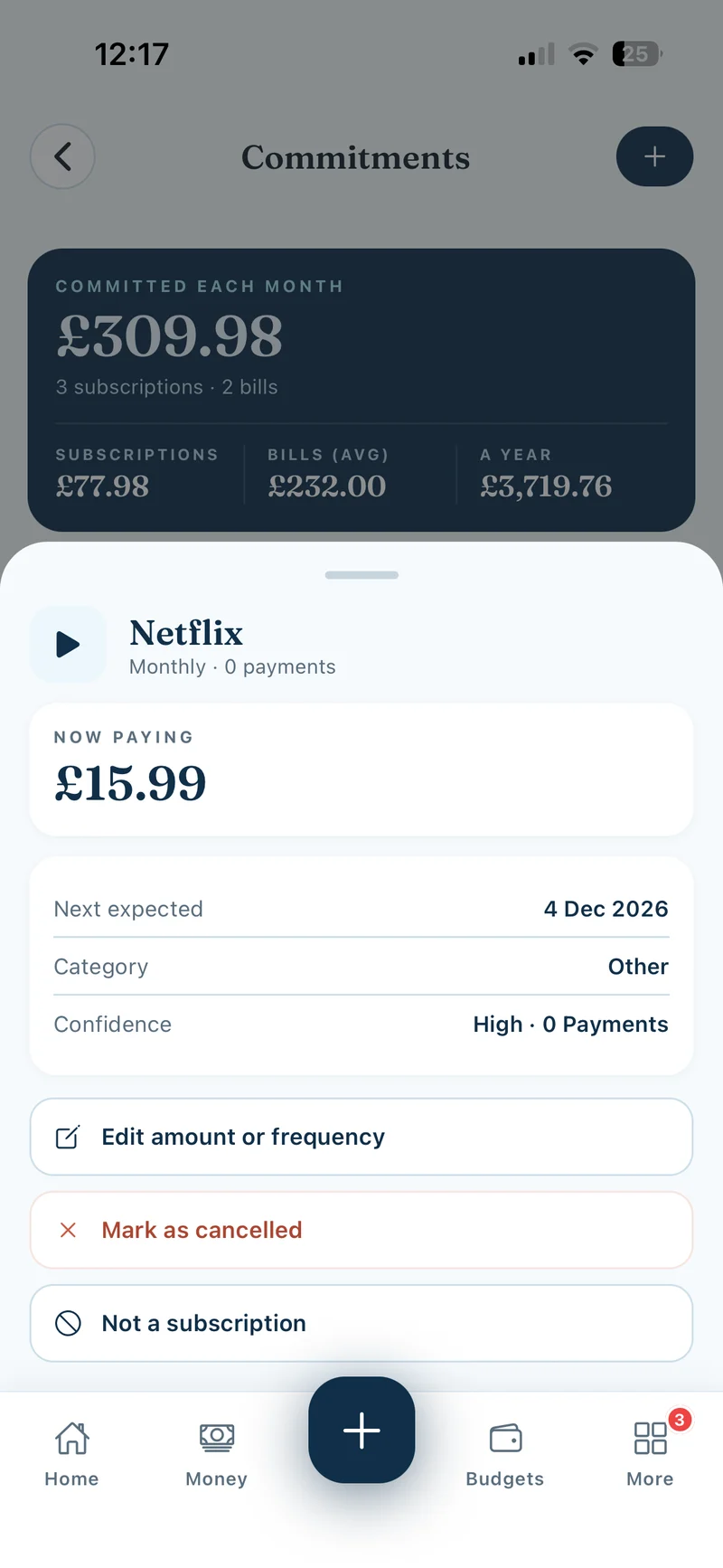
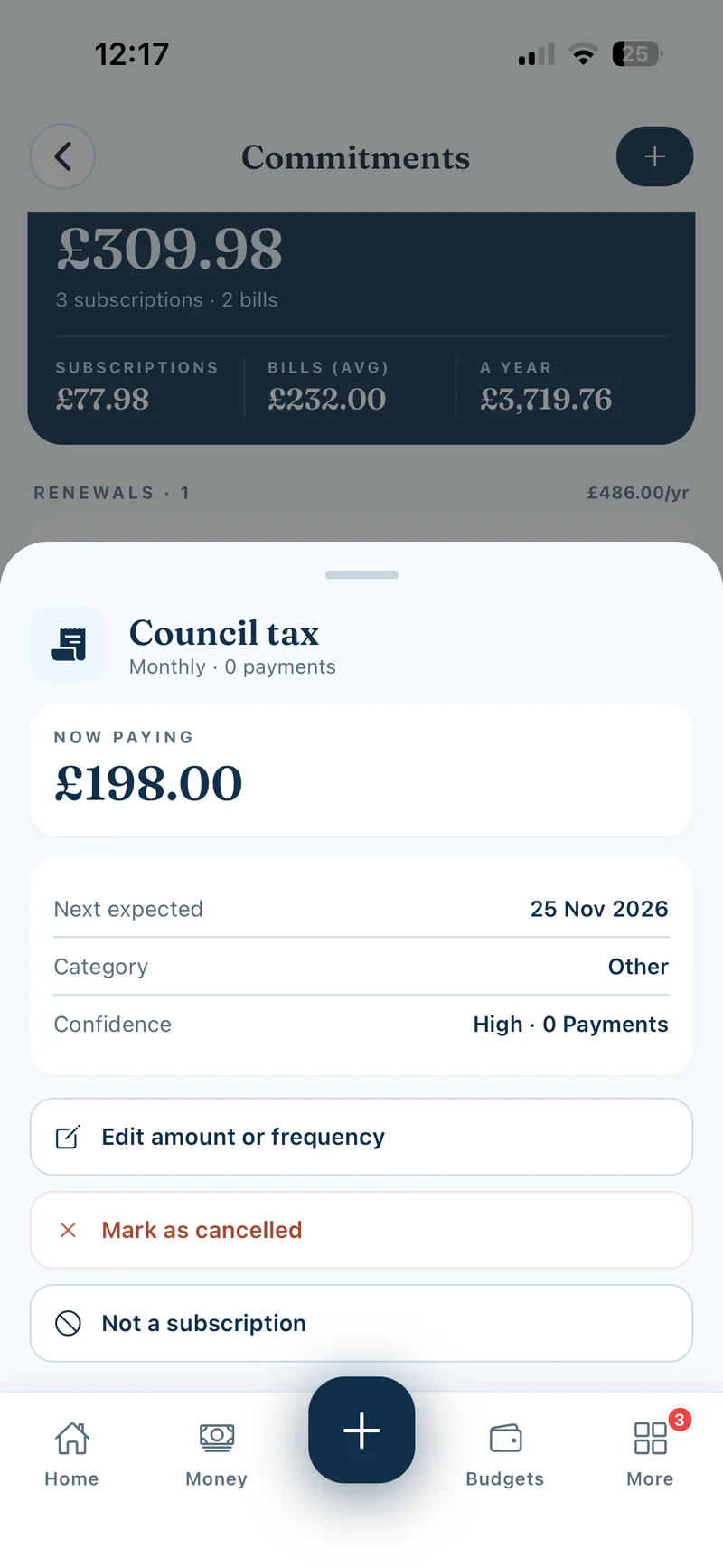
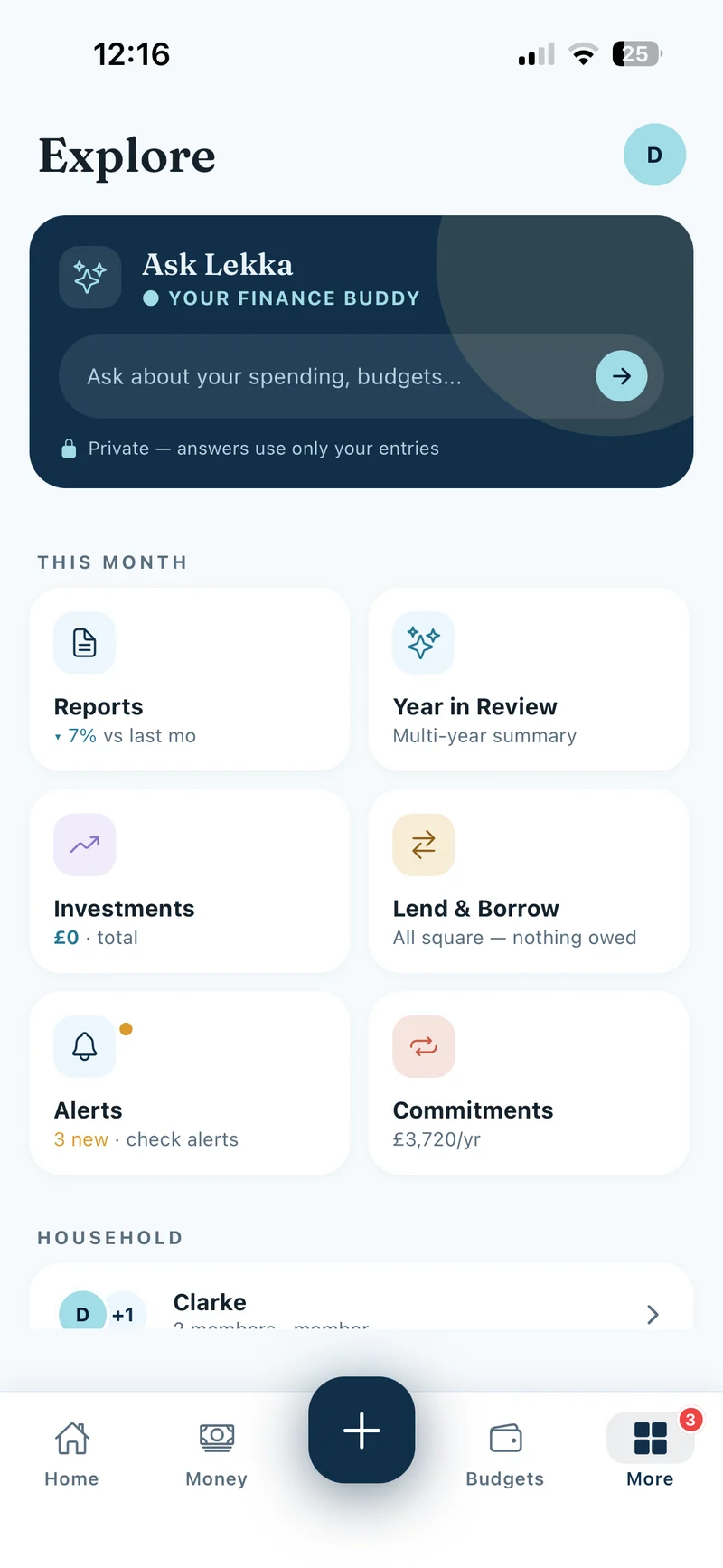
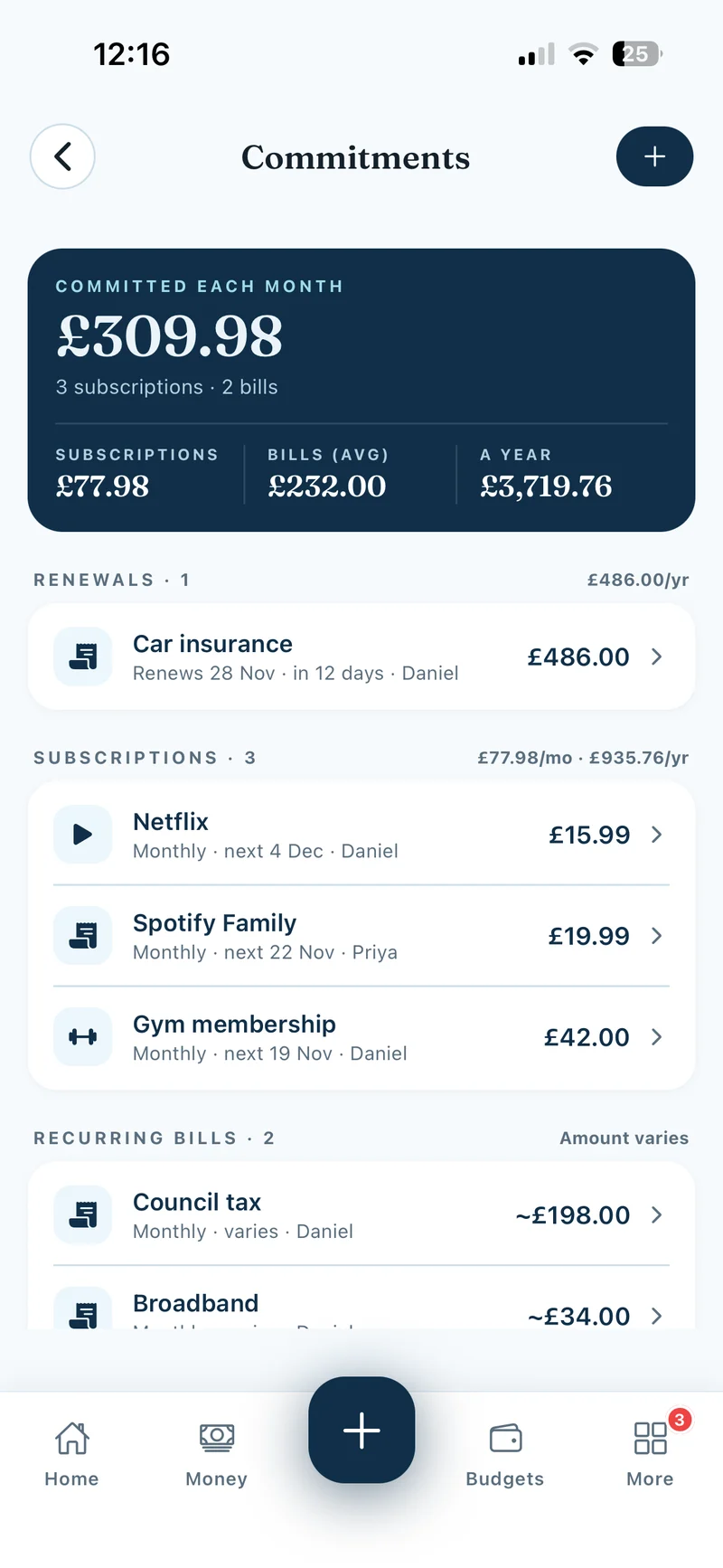
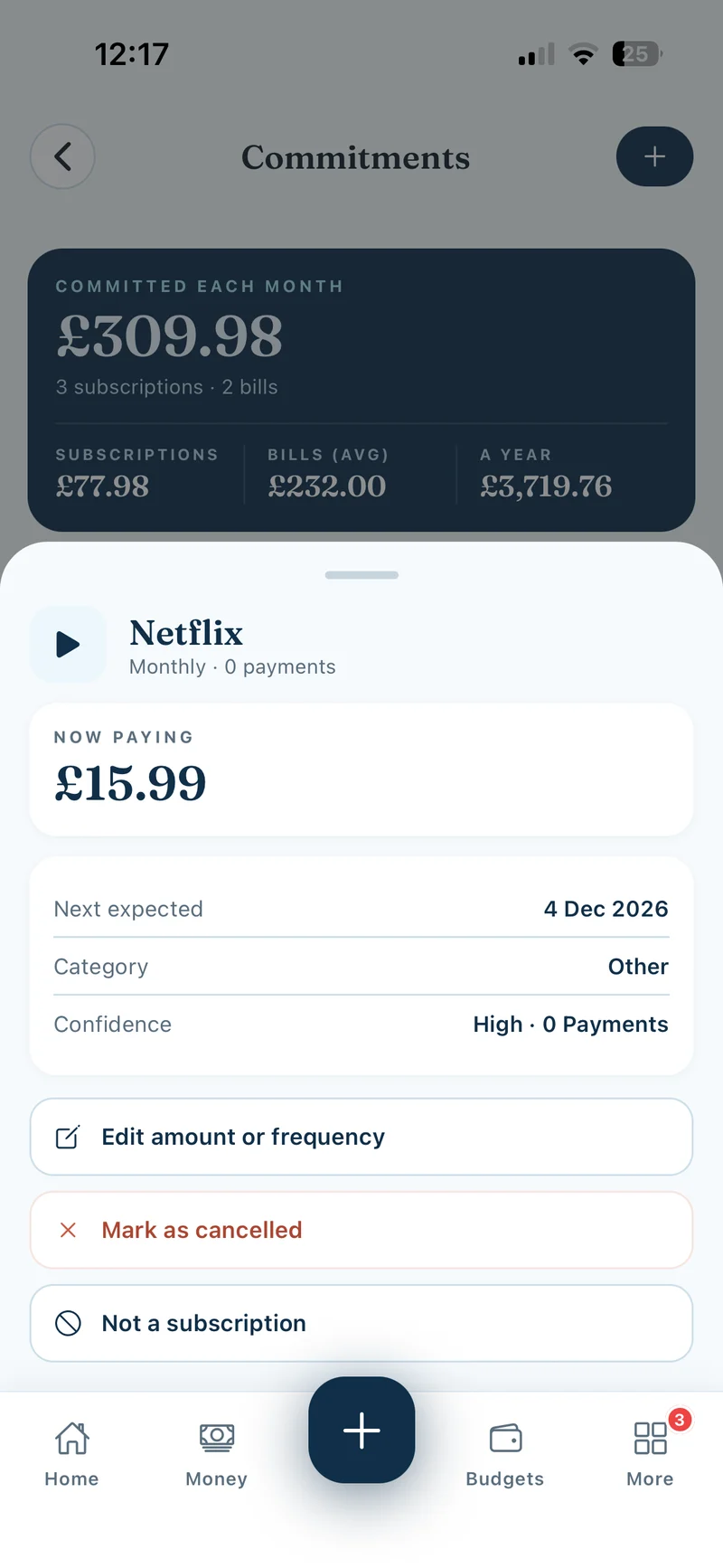
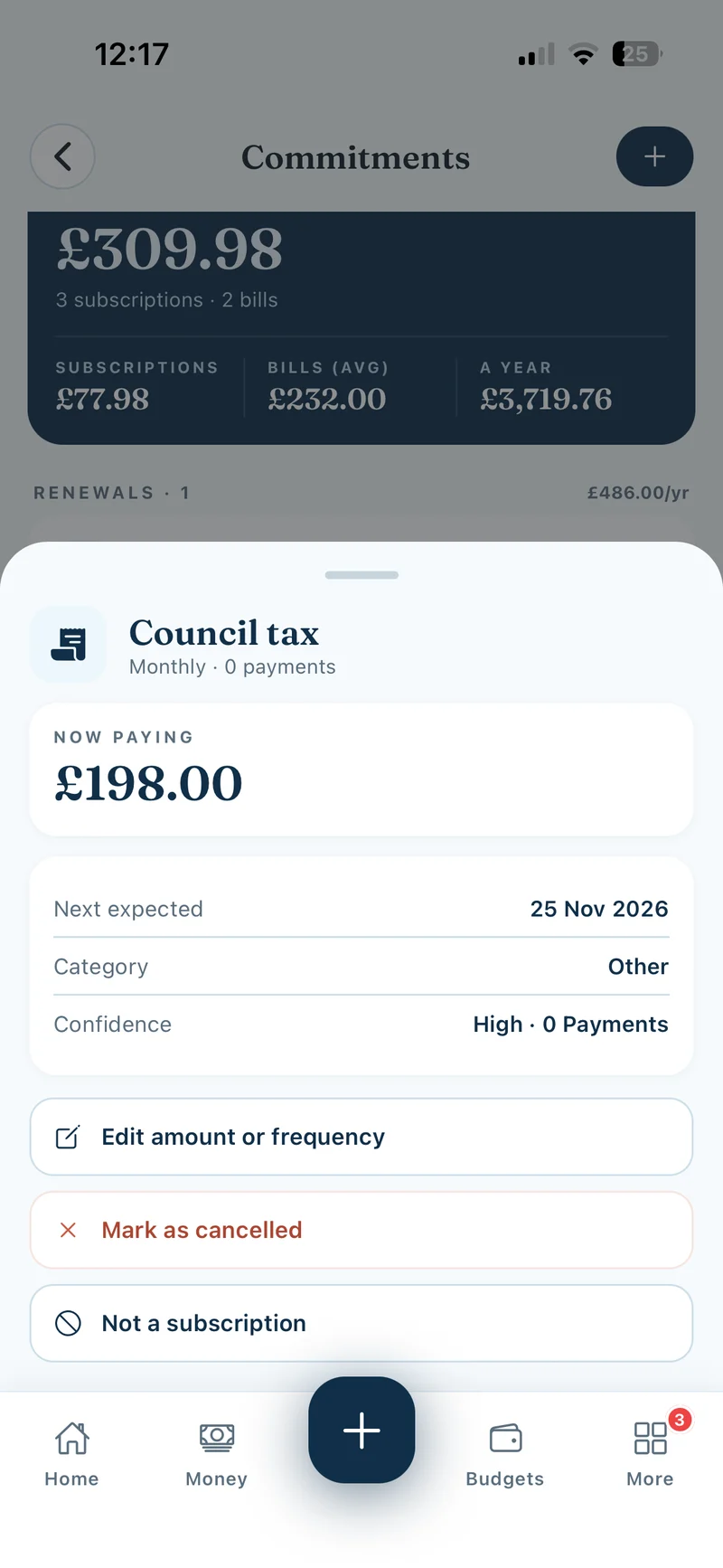
In the mobile app, tap More → Commitments. Use the list to see what you pay regularly, spot subscriptions you no longer use and plan for bigger costs before they’re due. Tap an item to see its amount, frequency and next expected date when available. If you’re in a household, this is a shared list.
Show screenshots
Know which type to use
A Subscription is an ongoing service you usually pay a set amount for, such as Netflix. A Recurring bill is a regular cost, such as council tax or electricity, and the amount can vary. Use Once a year for an annual expense such as an MOT. Use Contract renewal for a contract with a renewal date you want to review, such as car insurance.
Show screenshots
Review what Lekka finds
Lekka checks expenses you’ve logged or imported. It groups similar merchant names and looks for patterns in payment dates and amounts. Clear patterns can appear directly under Subscriptions, Recurring bills or Once a year. Less certain matches appear under Review. Tap Yes to confirm, No to dismiss, or Edit to correct the details. Add contract renewal dates yourself.
Add a commitment by hand
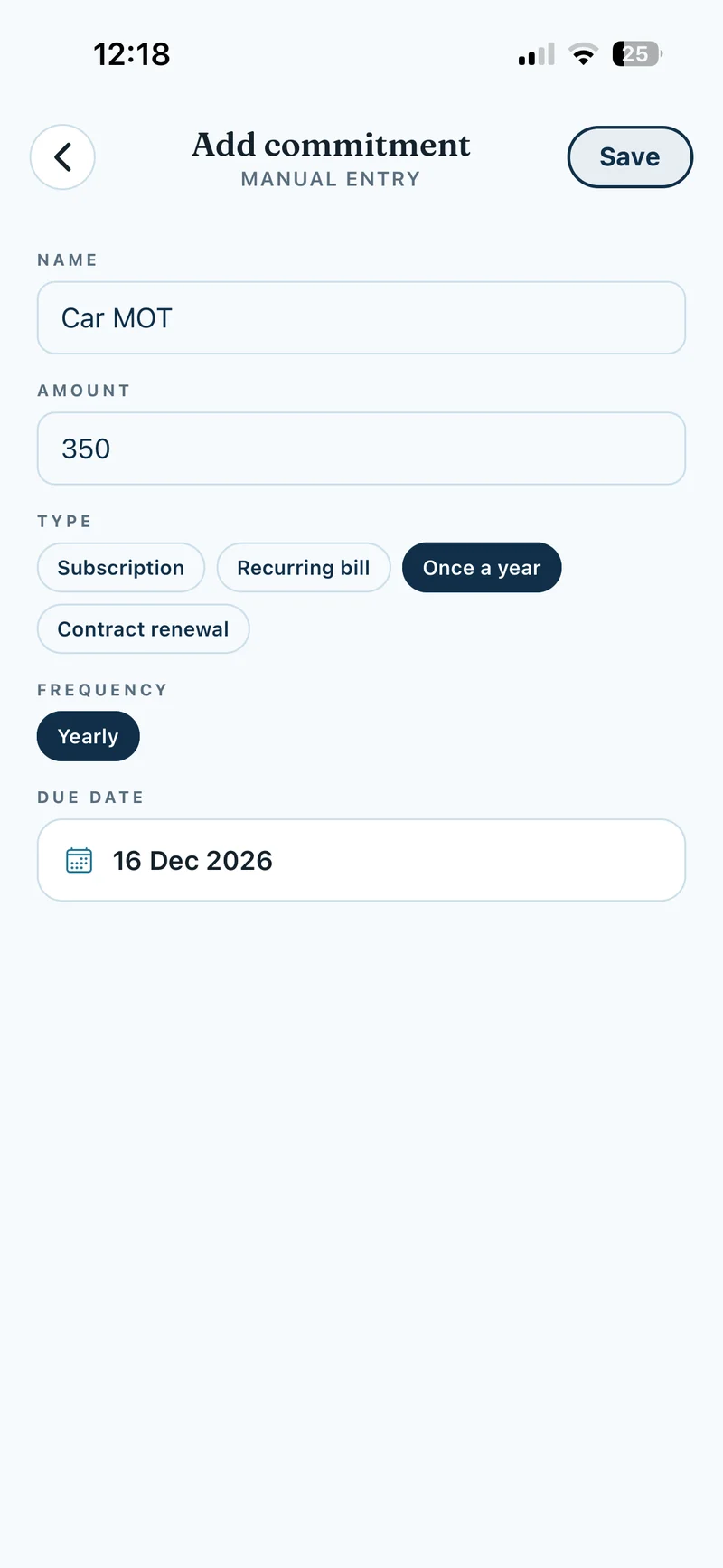
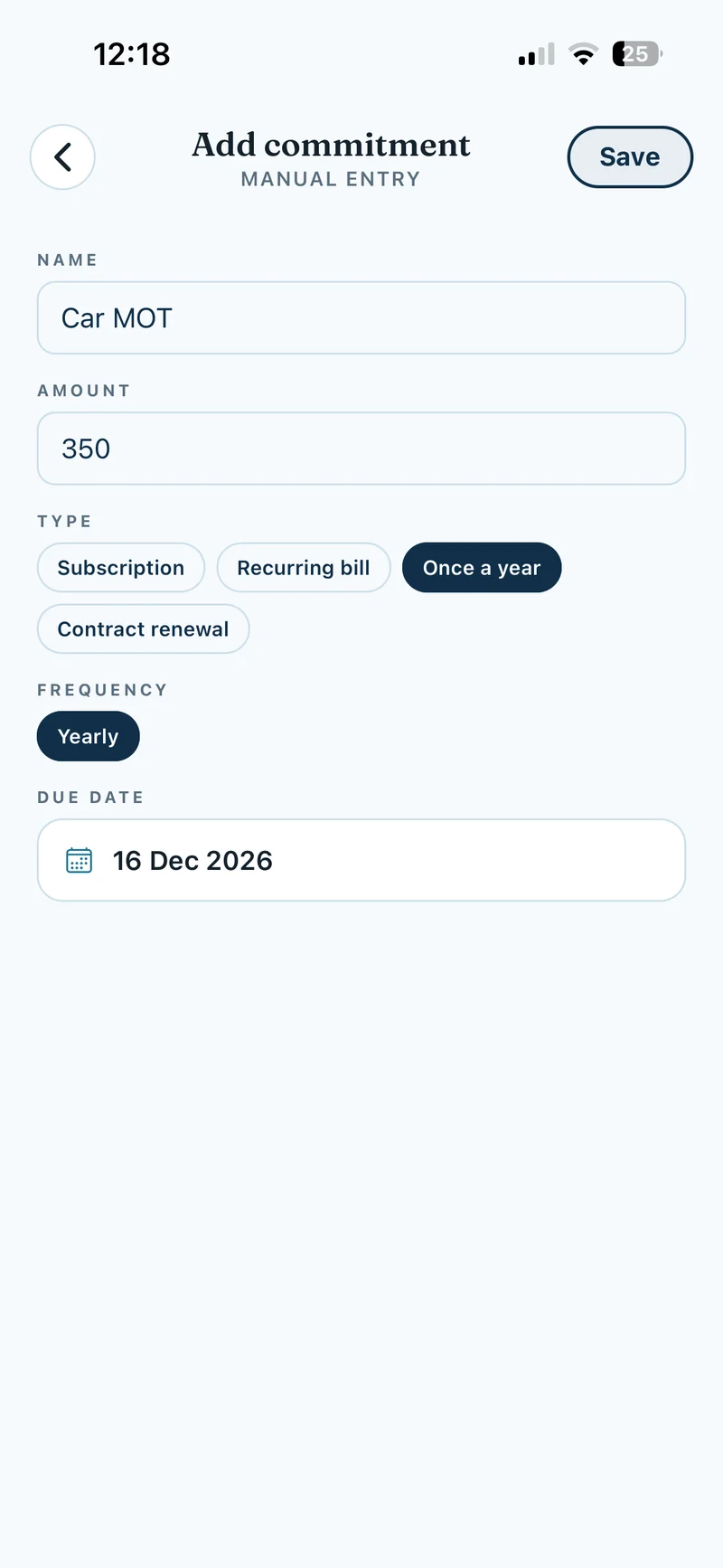
In Commitments, tap the + at the top. Enter a name and amount, then select the Type. Choose a frequency for subscriptions and recurring bills. For Once a year or Contract renewal, enter the Due date. Tap Save. For example, add Car MOT as Once a year so you can plan for it in Budgets.
Show screenshot
Update an amount or frequency
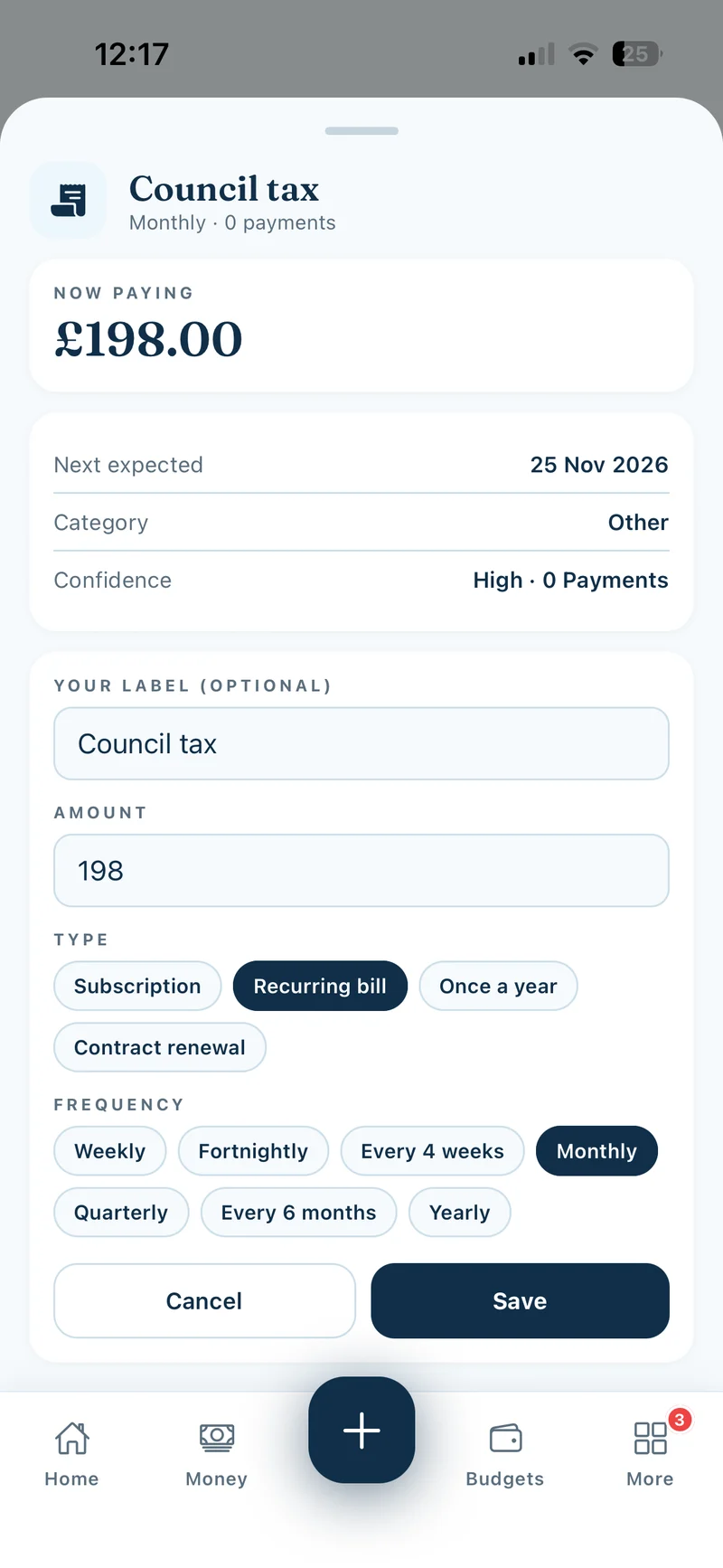
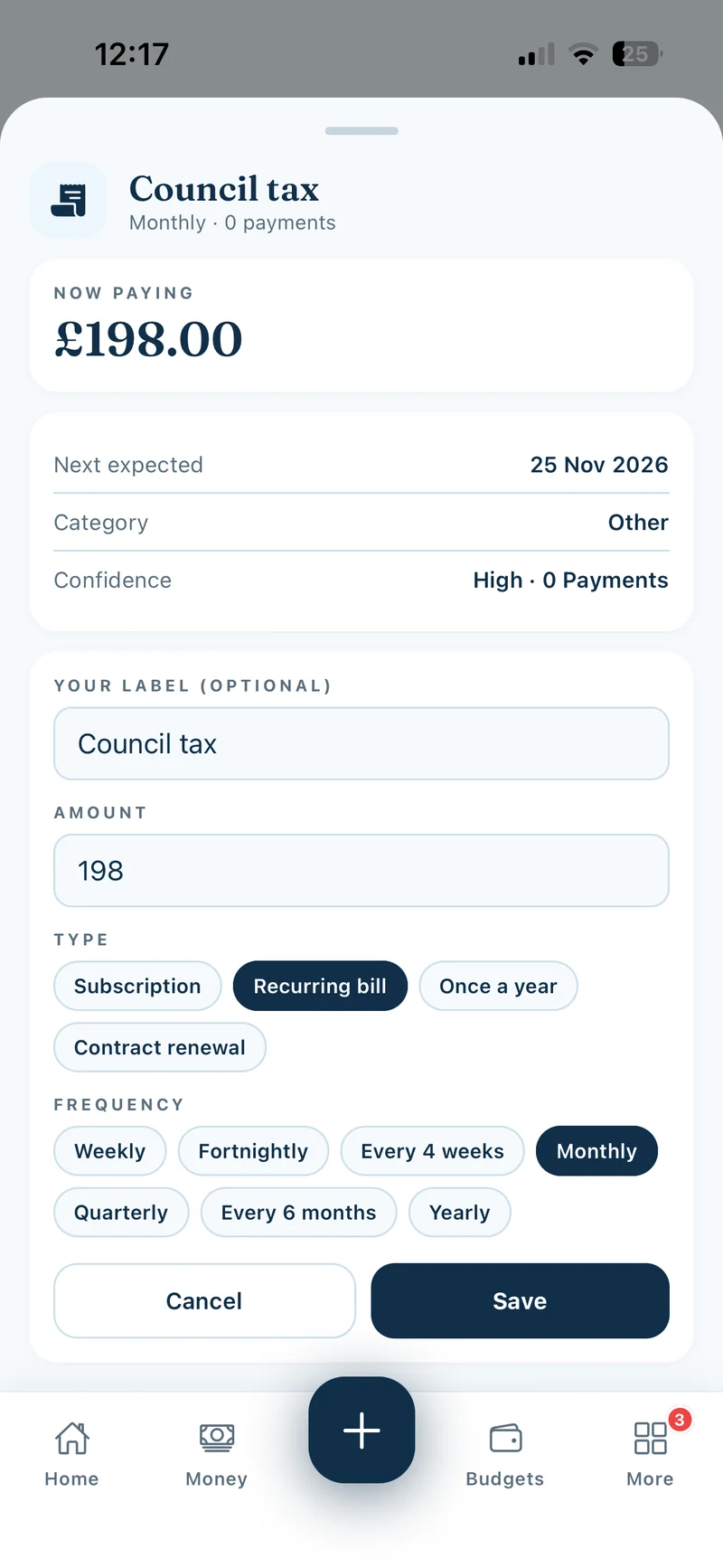
Tap an item and choose Edit amount or frequency. Update its label, amount, type or schedule, then tap Save. Use Mark as cancelled to record a service you’ve already cancelled with the provider.
Show screenshot
Choose which renewals remind you
Among the commitment types, Contract renewal can send due-date reminders. New manual renewals have the reminder on by default. Open the renewal to check its Remind me switch. Lekkafy normally reminds you 30 days before and can follow up 3 days before if you haven’t recorded what you decided. Under More → Account → Alert preferences, keep Renewals enabled and choose whether to receive email or push alongside in-app alerts.
If you need a reminder for car insurance, add it as a Contract renewal and enter its renewal date. For other annual costs, Once a year lets you plan ahead and set money aside in Budgets.